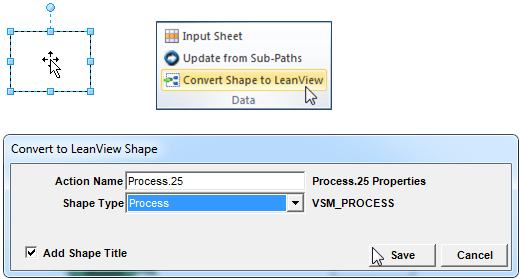
Any Visio shape can be converted into a LeanView shape.
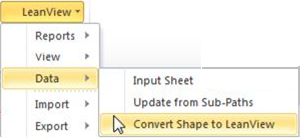
Simply select the Visio shape to be converted, navigate to the Data section of the LeanView ribbon and choose Convert Shape to LeanView. (If working in versions 4 or 5 of LeanView, navigate to the LeanView menu, select Data, and choose Convert Shape to LeanView.) Select the type of LeanView shape that is desired and the shape will be reconfigured.